Tips and Tricks
Picking
Quickly see item and inventory details
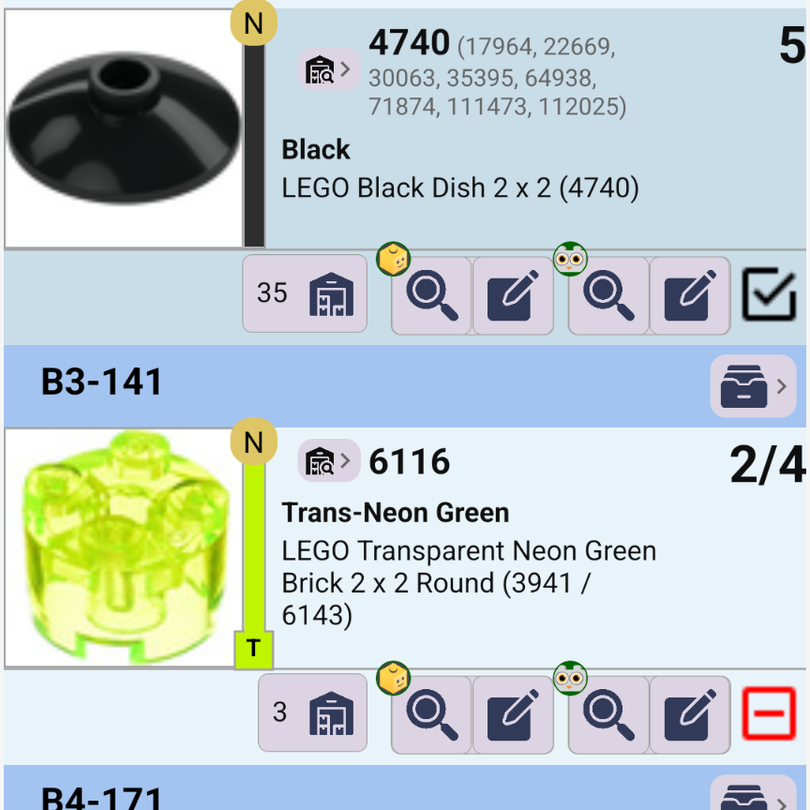
Every row on the picklist shows the part number and its alternate numbers, the color, the full name, and how many you have in stock. The BrickLink and Brick Owl buttons on each row search that part or open the lot for editing in one tap, so you can fix a price or quantity without leaving the order.
Pick partial quantities
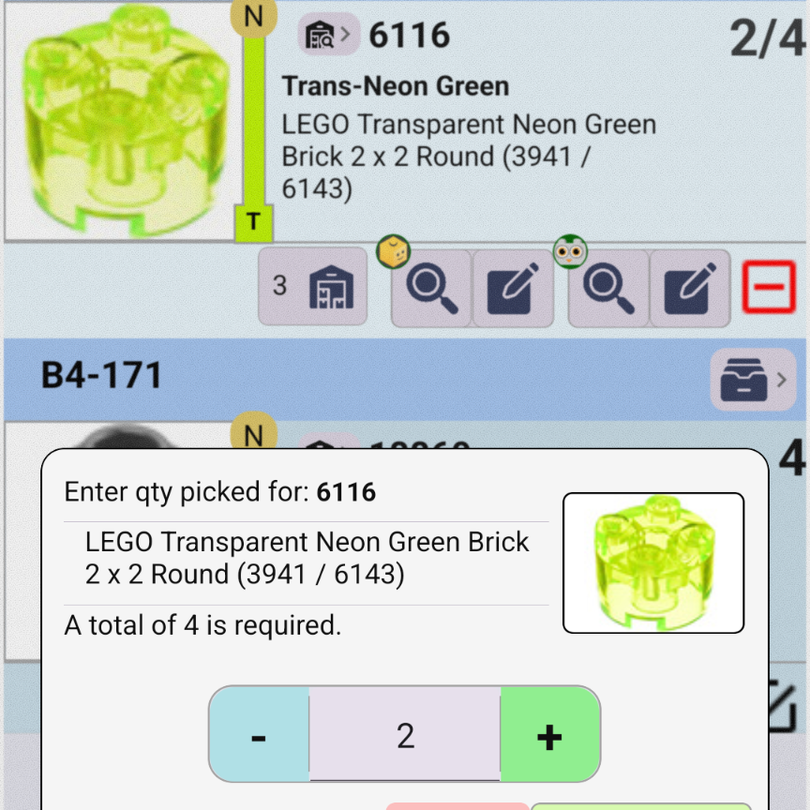
When you can only find some of a part, long-press its checkbox and enter how many you picked. The row shows your progress (for example 2/4) with a red minus mark until the rest is picked, so nothing gets missed.
To be asked for a quantity on every pick, turn on require quantity picked in Picklist Settings.
Undo any pick
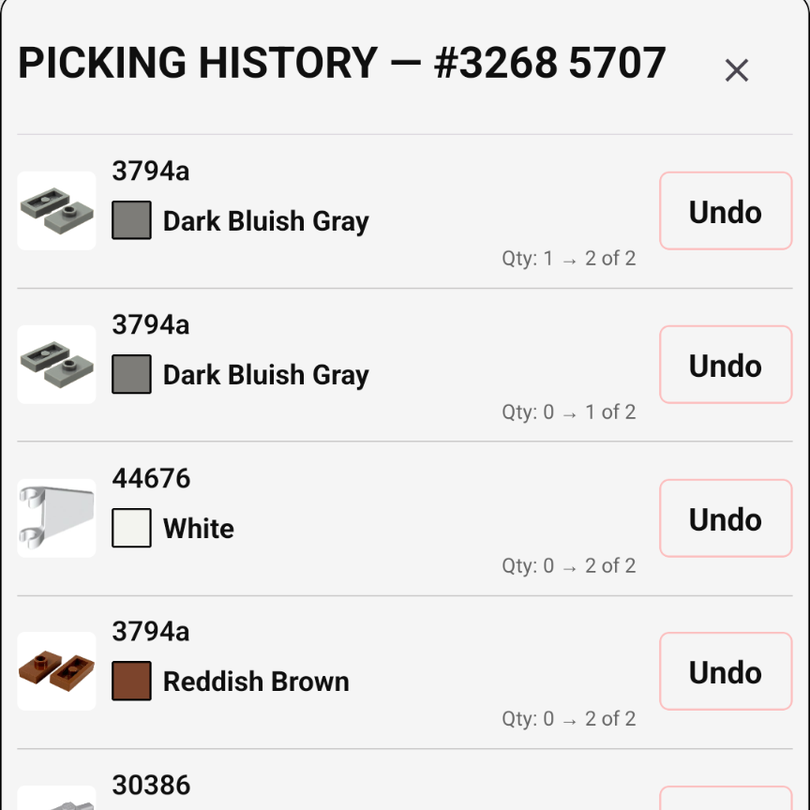
Open the floating menu on the picklist for Undo, Redo, and Picking History. Picking history lists every pick on the order with its quantity change, and lets you undo any one of them, not just the last.
Catch look-alike parts
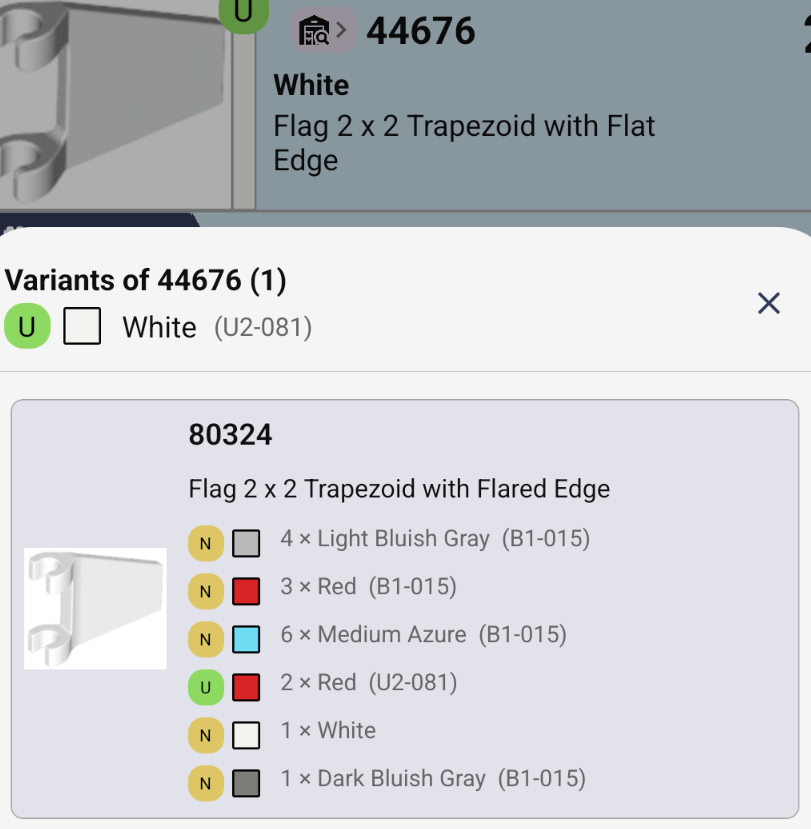
Some parts have variants that are easy to mix up. The Variants screen shows each variant's colors, quantities, and locations, and the picklist flags an item when a look-alike is stored under the same remarks — a cue to double-check before you pack it.
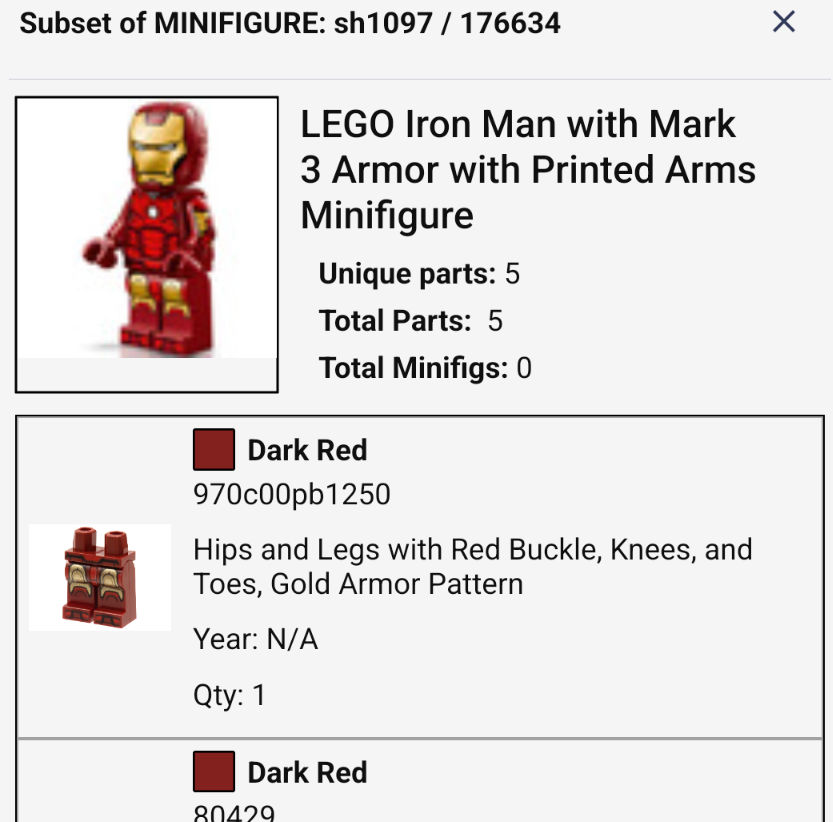
Minifig parts at a glance
Open a minifigure's parts drawer to review every part, color, and quantity inside it — handy for checking a minifig is complete before it ships.
Copy the pick list
In Order Details, Copy Picking List copies the parts still to pick, or the picked parts when those are shown. Paste it into a message to a buyer about a missing part, or into your notes.
Picking with someone else? Every device picking the same order stays in sync — see how team picking works.
Print condensed orders
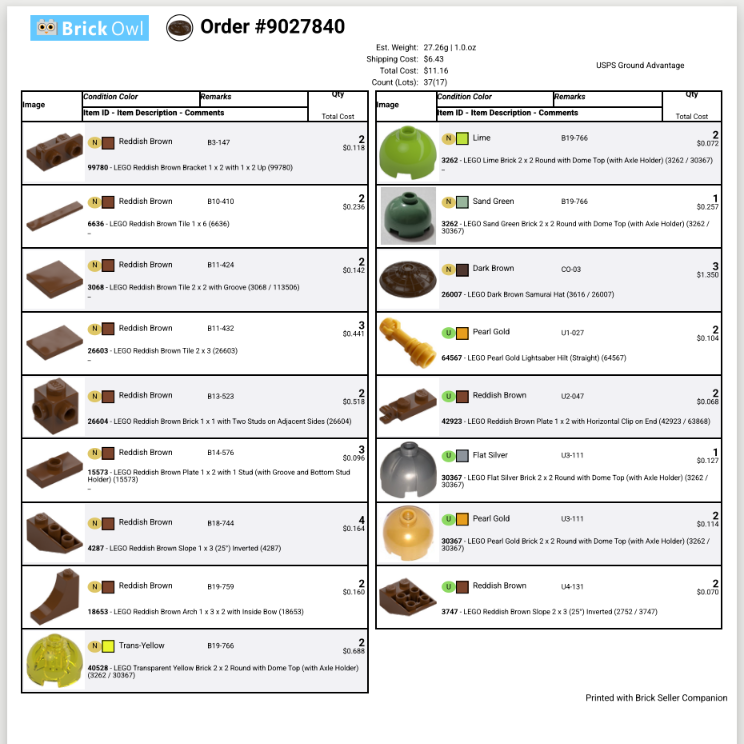
Prefer paper? Tap the printer button on an order. The printout is a compact two-column sheet with part images, sorted by remarks in the same order as the picklist, so you walk your bins once and even large orders fit on fewer pages.
Print Settings let you choose what to include: buyer name, address, seller name, prices, remarks, and messages.
Shipping & orders
Buy shipping labels
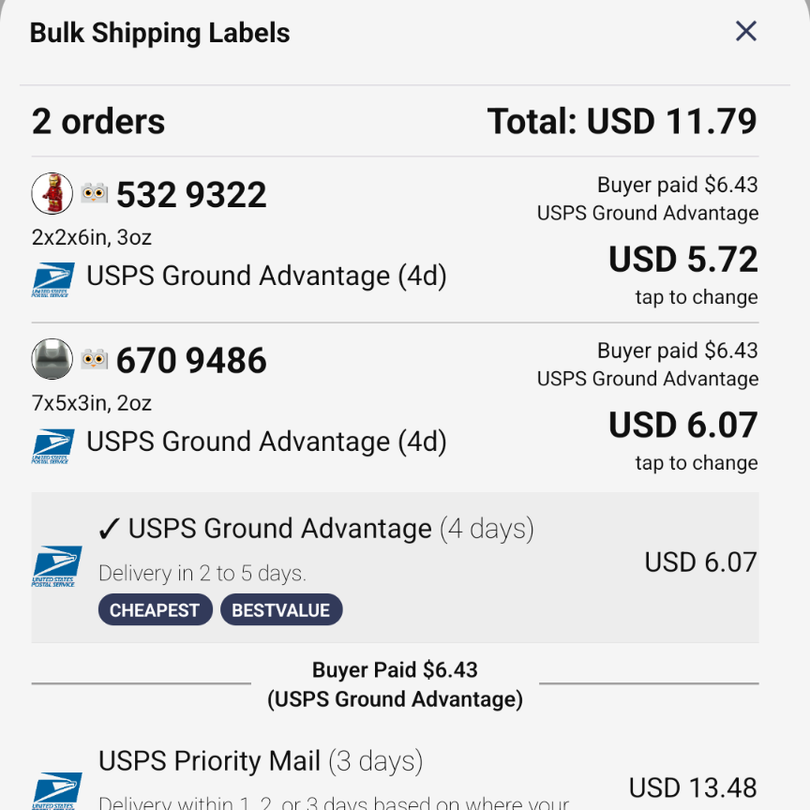
Buy labels through Shippo for a single order, or select Bulk Labels on the Packed tab to buy them for several orders at once. Each order shows what the buyer paid for shipping next to the available rates, and you can mark orders shipped automatically after purchase.
Scan to ship
Tap the barcode button on an order card and scan the tracking barcode on its shipping label. The tracking number and a tracking link are added to the BrickLink or Brick Owl order, and the order is marked Shipped — no typing tracking numbers.
PayPal address check
Connect a PayPal Business account and each order shows whether its shipping address matches the one on the PayPal payment: Address Match, Address Mismatch, or Unable to Verify. Check a mismatch before you ship.
Add tracking to BrickLink Drive Thru
Show buyers their tracking number in BrickLink's Drive Thru messages by editing your Drive Thru template. The snippet below only displays tracking details when a tracking number exists, and links to USPS tracking.
- Open your Drive Thru template settings on BrickLink.
- Insert the code block below into your template.
- Swap the USPS link for your own carrier's tracking URL if you ship with someone else.
- BrickLink fills in the tracking number for each order.
<ORDERTRACKNO-EQ:Y>

Your tracking number is:<ORDERTRACKNO>

https://tools.usps.com/go/TrackConfirmAction?tLabels=<ORDERTRACKNO>

</ORDERTRACKNO-EQ:Y>
Pairs well with scan to ship, which fills in the tracking number for you.
Mass feedback and filing
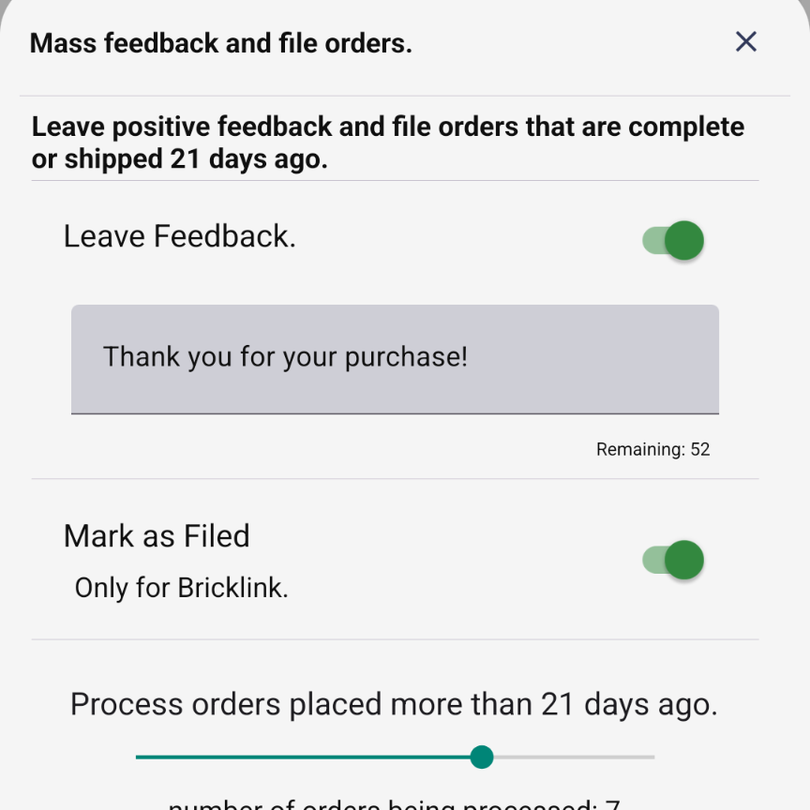
On the Shipped tab, tap Feedback & File. Write one feedback message, choose whether to leave feedback and whether to mark orders as filed, and use the slider to pick how many days old an order must be. The sheet shows how many orders will be processed before you confirm.
Filing is BrickLink only; feedback works on both marketplaces.
Inventory
Inventory search shortcuts
The inventory search box understands a few shortcuts. Separate terms with commas — every
term must match, so slope,!curved finds slopes that aren't curved.
| Type | Finds | Example |
|---|---|---|
4x1 | A footprint, either way round | 1 x 4 and 4 x 1 parts |
h3 | Parts of a given height | Anything ending in "x 3" |
1x2x5 | Exact dimensions | Bricks 1 x 2 x 5 |
+4070 | An exact name or part number, including alternates | Only part 4070, not 40701 |
*stud | The text anywhere in the name or number | "with Stud", "Studs" |
!curved | Leaves out anything matching the term | slope,!curved |
33 | A number as a height or a standalone word in the name; 3+ digits also match the start of a part number | "Slope 33 1 x 1" |
Color indicators
Chips next to color names flag colors worth knowing about:
- RETIRED not in a set for 10+ years.
- RARE in fewer than 200 sets.
- NEW released since last year.
A color can carry more than one — Sand Red is both retired and rare.
Remark suggestions
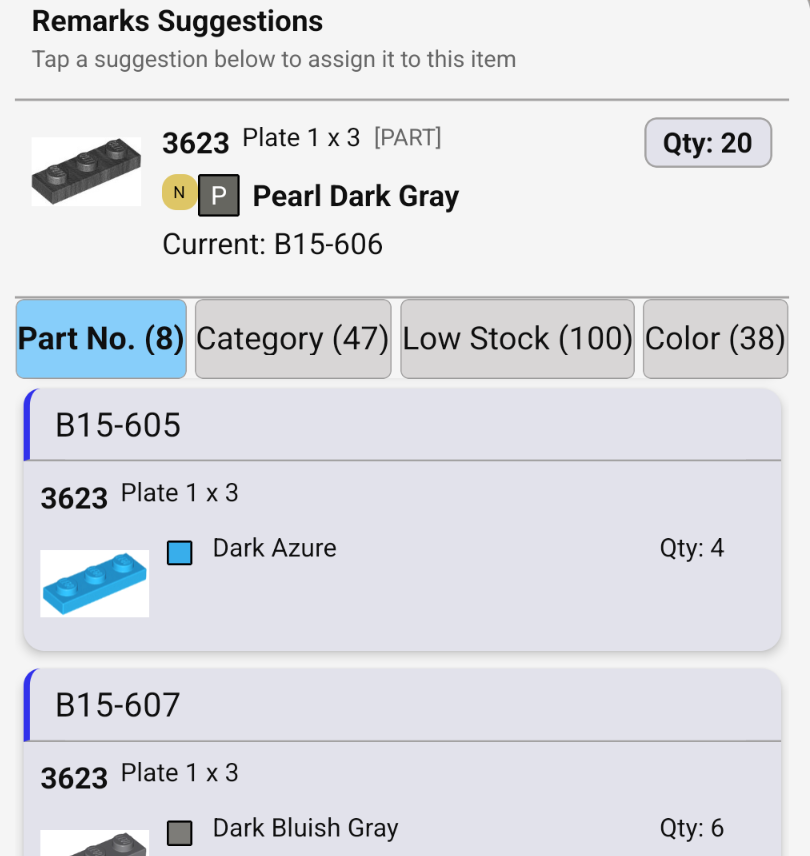
When you choose a remark (storage location) for a lot, the app suggests remarks from matching parts, the same color, low-stock locations, and remarks you used recently. Tap one to assign it, and keep similar parts together without memorizing your bins.
Remarks Map
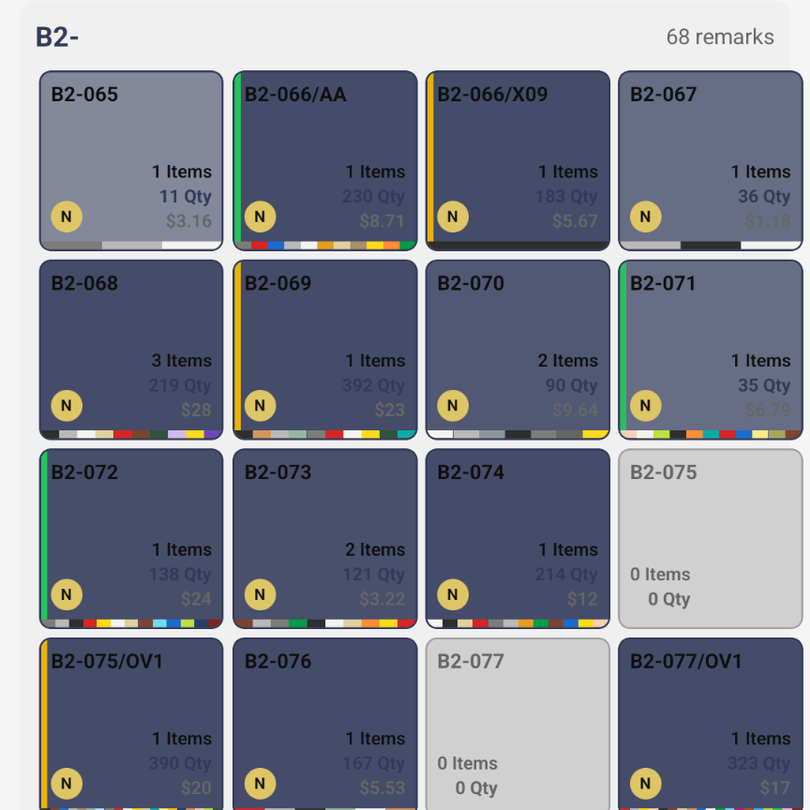
The Remarks Map shows every remark as a drawer, grouped by prefix. Gray drawers are empty and ready for new stock. Tap a drawer to see its items in Inventory, or long-press it to move its items to another remark. Long-pressing an empty drawer deletes it.
Filter by a prefix such as B2- to focus on one cabinet.
Inventory history
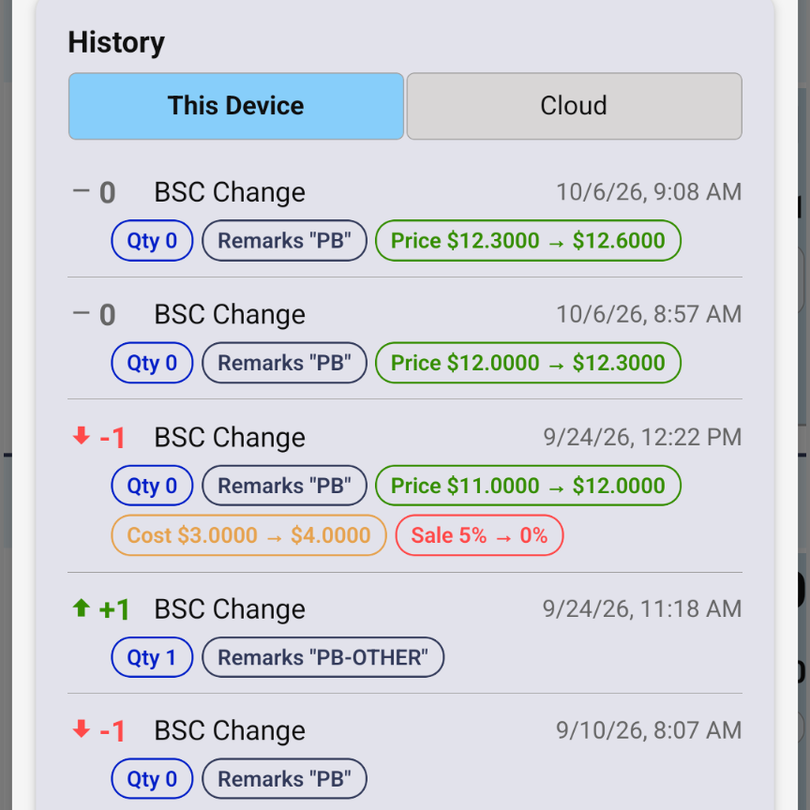
Open a lot in Inventory Details and scroll to History to see every change to it — quantity, remarks, price, cost, and sale — with dates. Cloud Sync subscribers can switch to Cloud to see changes made from any device or by sync.
Price a lot with the price guide
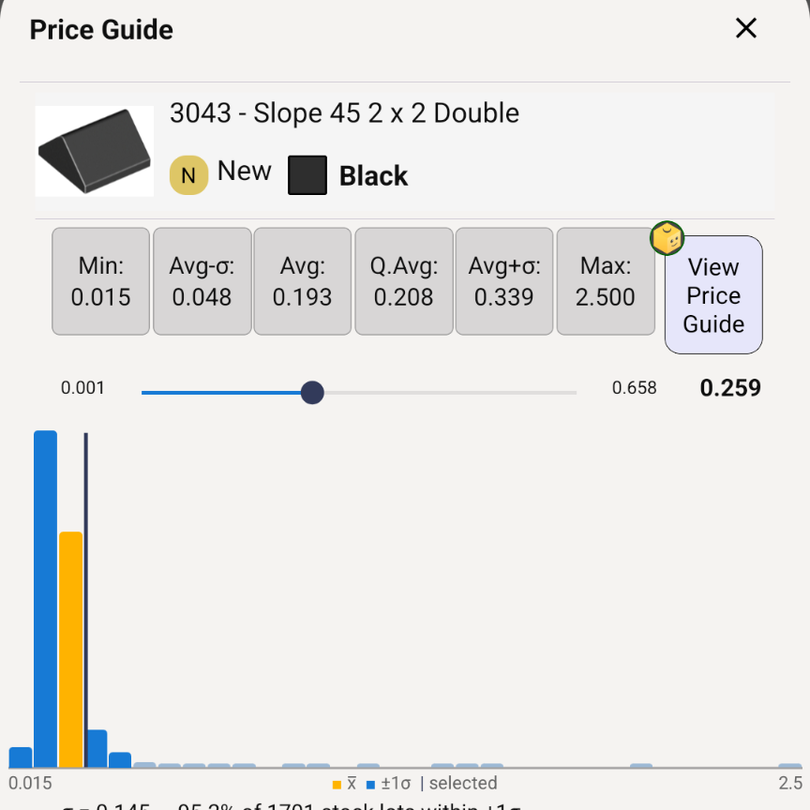
Set prices from BrickLink's price guide without leaving the app. The price guide is available wherever you set a price, in Inventory Details and in Part Out.
- Tap the price guide button next to the price field.
- Tap a preset to use it: Min, Avg-σ (one standard deviation below average), Avg, Q.Avg (average weighted by quantity), Avg+σ, or Max.
- Or drag the slider to any price in between. The chart shows how other lots are priced: the average in orange, lots within one standard deviation in blue, and a line at your selected price.
- Tap Use to apply the price, or Use Original to keep the price you started with.
View Price Guide opens the full BrickLink price guide for the part and color. To price from current stock or from past sales, or for a specific currency or country, change the defaults in Settings → General → Price Guide.
More inventory tools
- Camera Identify looks up a part from a photo, and can recognize a color by name and type.
- Part Out Set breaks a set down into inventory items with value estimates.
- Set Search finds every set that contains a specific part.