BrickLink & Brick Owl Order Picking
Pick one order on several devices at once
Split a big order between people, or start on your phone and finish on your tablet. Every device picking the same order sees each pick within moments, so nobody pulls the same part twice and everyone knows what's left.
 621 0732
 28921TanBar 6 with Thick Stop
1✓
2450TanWedge Plate 3 x 3 Corner
73/7✓−
 1927Dark GreenHinge Plate 1 x 4 Swivel Assembly
2✓
621 0732
28921TanBar 6 with Thick Stop
1✓
2450TanWedge Plate 3 x 3 Corner
73/7✓−
1927Dark GreenHinge Plate 1 x 4 Swivel Assembly
2✓
Enter qty picked for: 2450
Tan Wedge Plate 3 x 3 Corner
A total of 7 is required.
To turn it on, go to Settings → General and switch on Multi-Device Picking on each device connected to your store.
See picking status at a glance
The bar at the top of the picker fills as parts are picked, whichever device picked them. It's blue while the order is in progress and turns green once every part is picked.
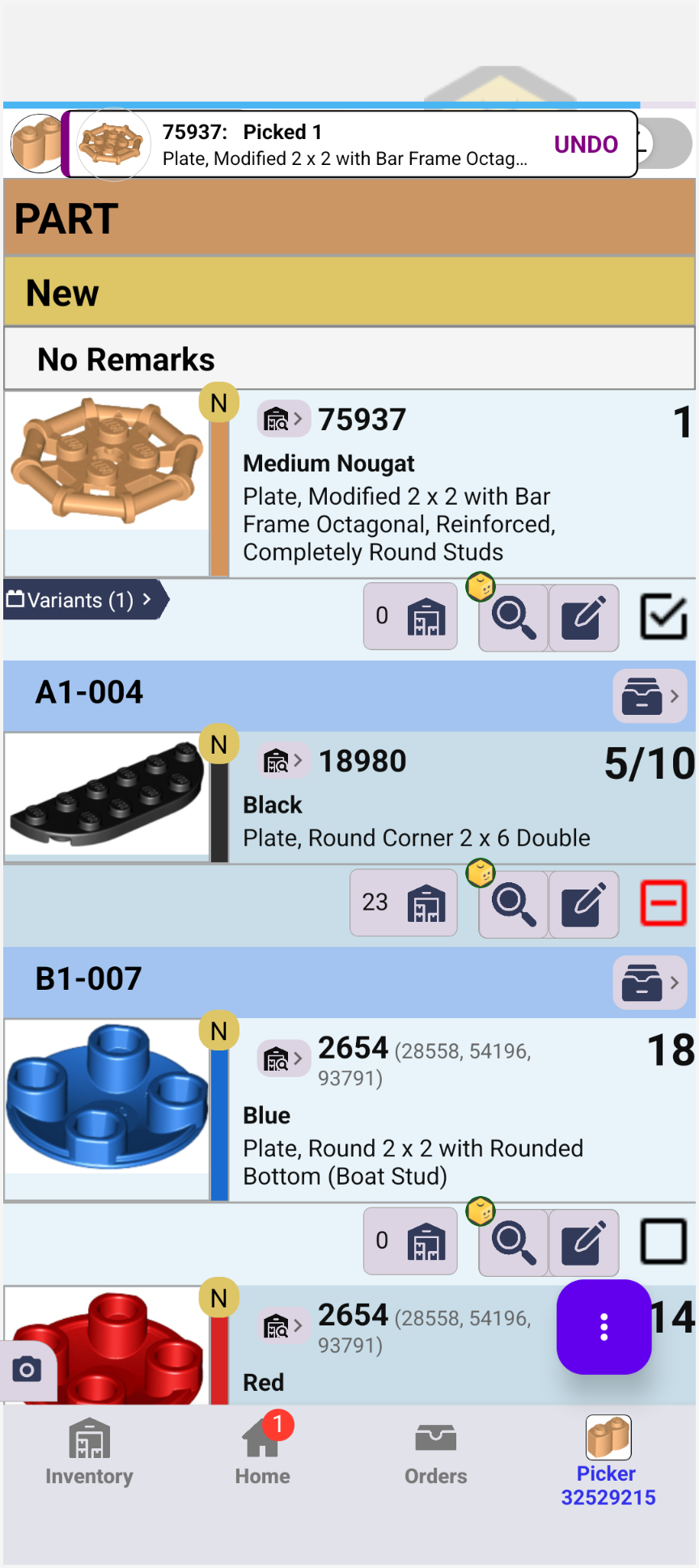
- Blue bar shows how much is picked
- Partial picks show as 5/10
- Undo button after every pick
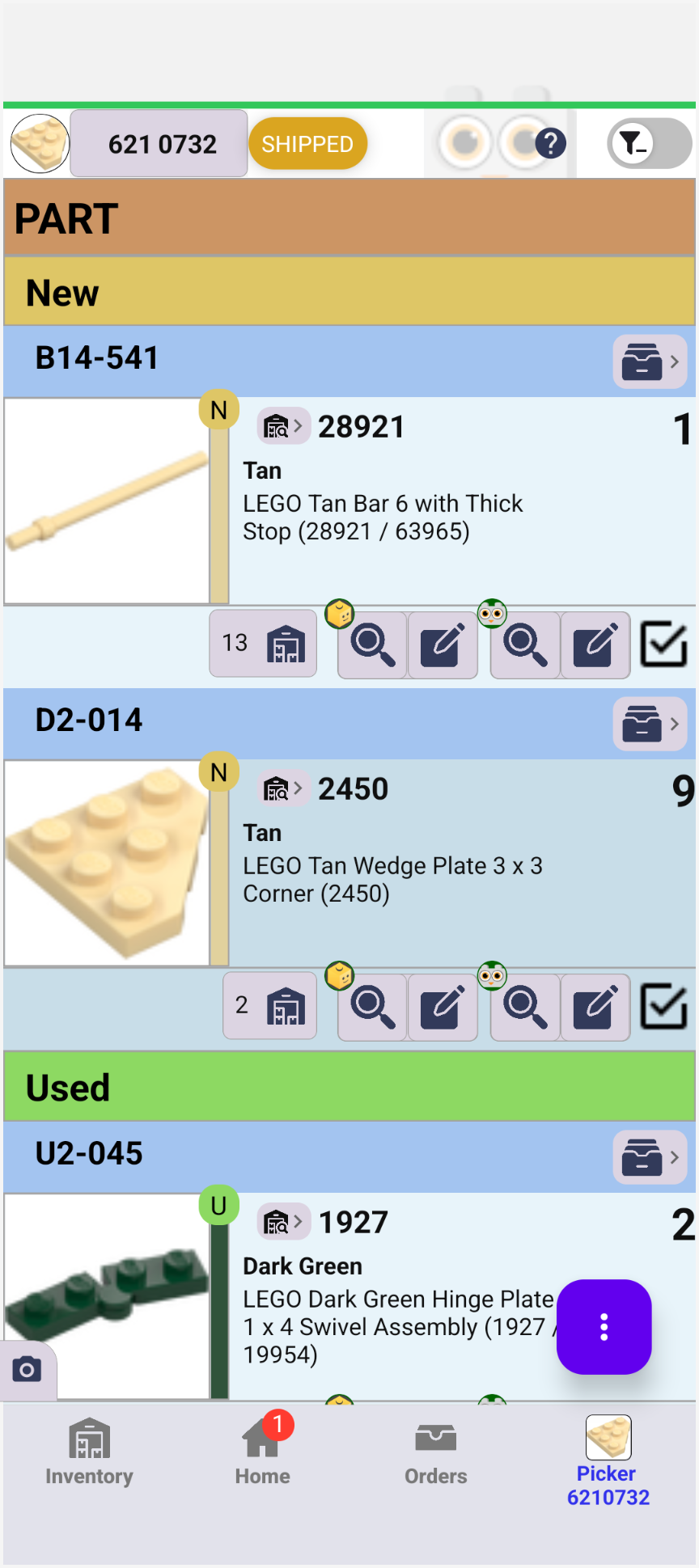
- Bar turns green when done
- Parts grouped by location
- Look up or edit a lot on either store
Built for fast picking
Pick by location
Parts are grouped by their remarks, so you walk your bins in order instead of hunting for each part.
Several orders at once
Select multiple orders on the Orders screen and pick them together in one pass.
Partial picks
Short on a part? Long-press the checkbox, set how many you picked, and the lot shows as 3/7 until it's finished.
Undo and picking history
Every pick shows an Undo button right away. Picking History in the menu lists each change to the order, like "Qty: 0 → 3 of 7", so you can undo or redo any one of them.
Both stores, one list
BrickLink and Brick Owl orders are picked in the same app, the same way.
New to Shipped
Move orders from New to Packed to Shipped, buy Shippo labels, and scan a barcode to mark an order shipped.