The mobile app for managing your BrickLink and Brick Owl store.
Pick orders, track them from New to Shipped, buy shipping labels, and manage inventory — all from your phone or tablet.
What's New →What sellers say
See it in action
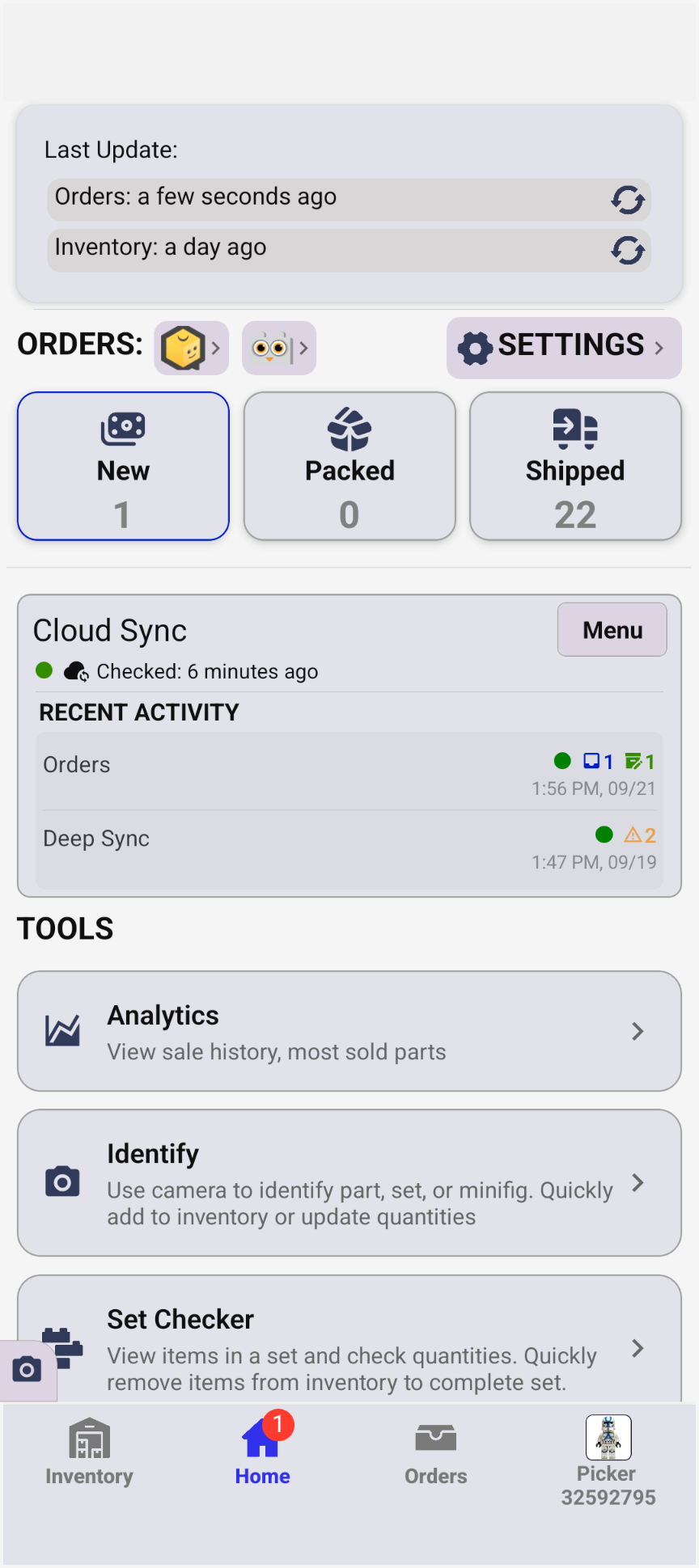
- Live order counts
- Cloud sync status
- Access Tools
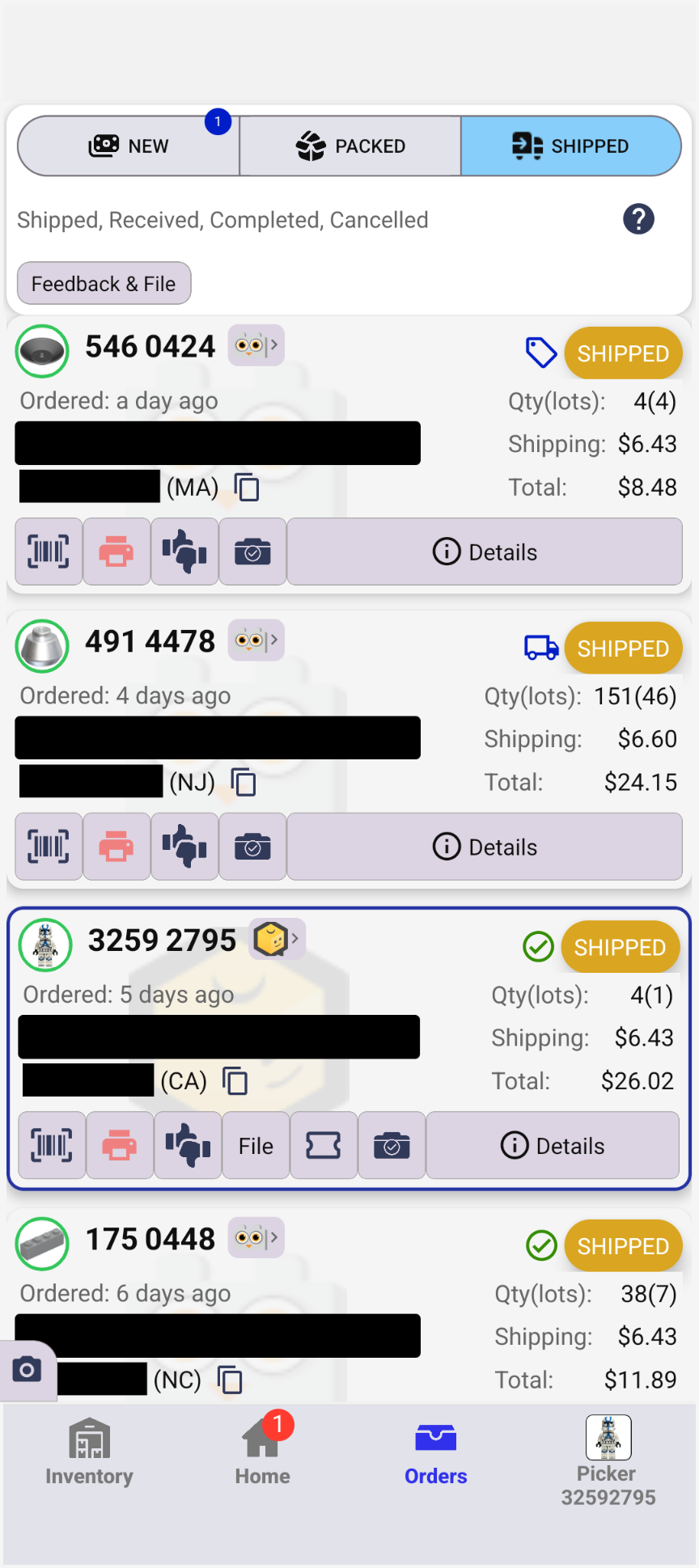
- Orders by status
- Shipping cost at a glance
- Buy Shipping Labels
- Select multiple orders to pick together
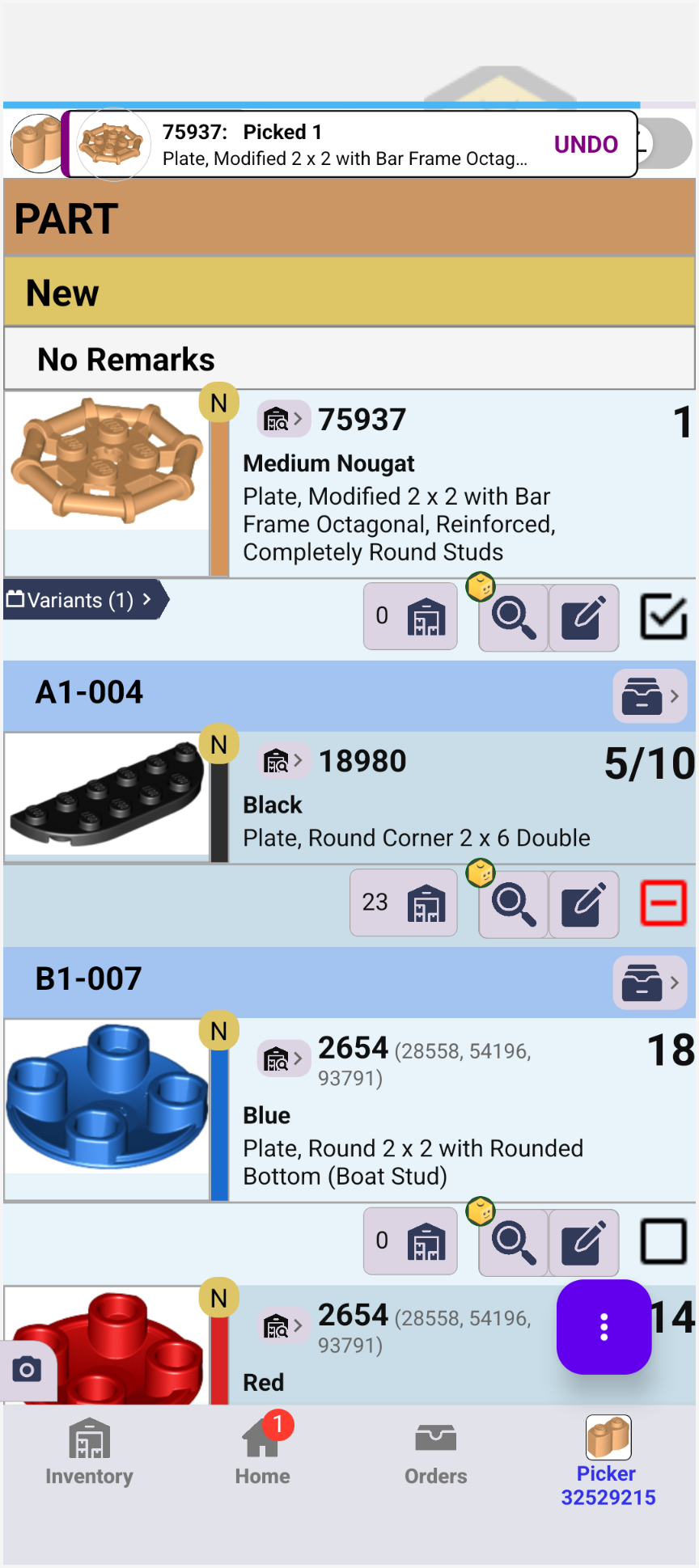
- Pick by location
- Partial picking
- See remaining Quantity
- Undo button & picking history
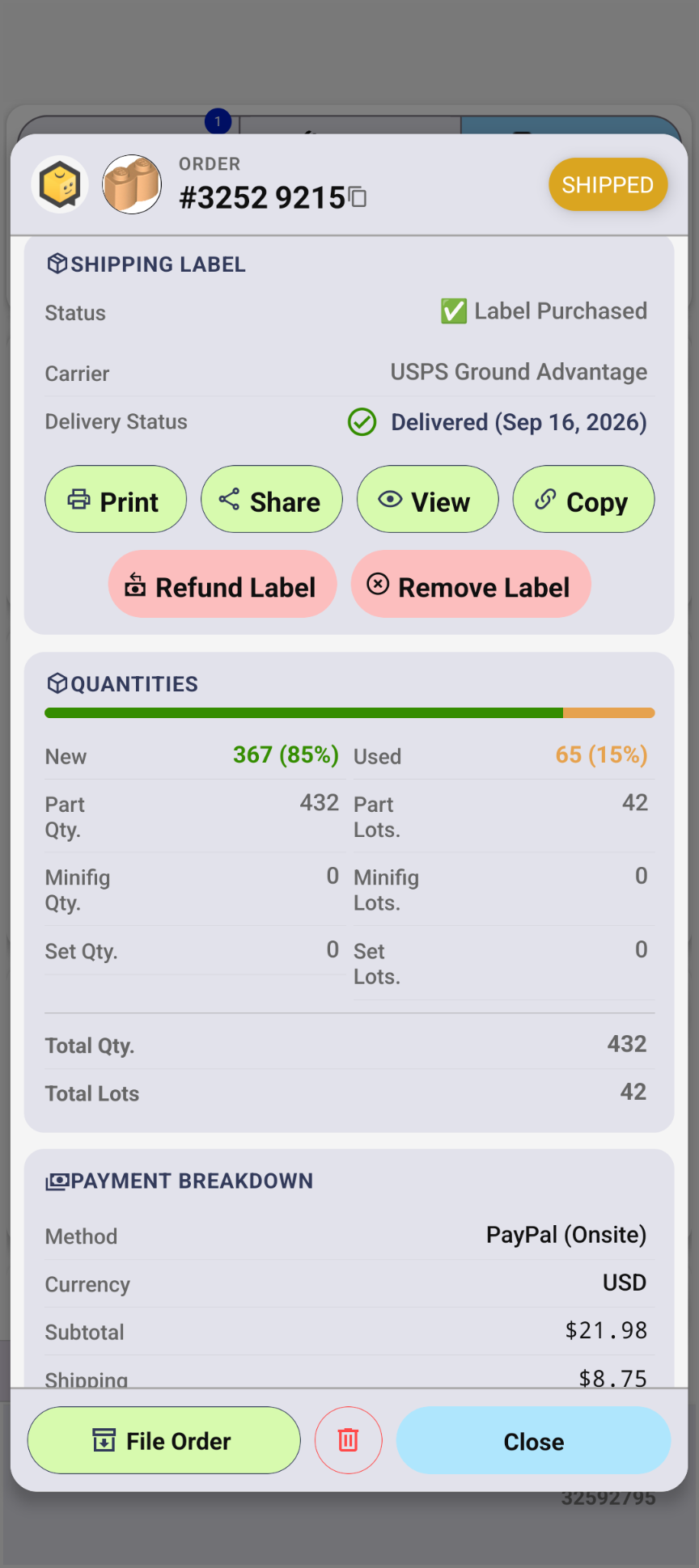
- View order details
- Track delivery
- Message customer
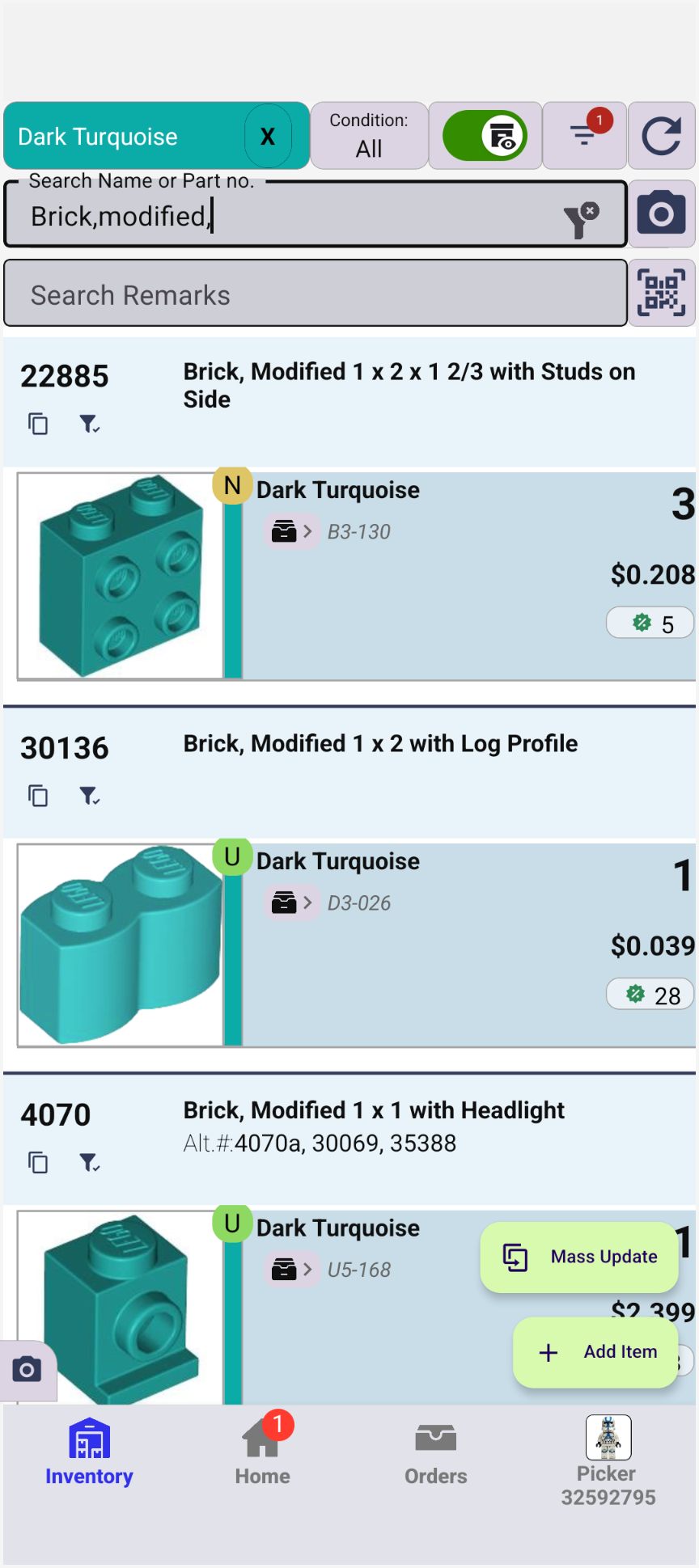
- Search by part/color
- Advanced filters
- Mass update through API or web interface
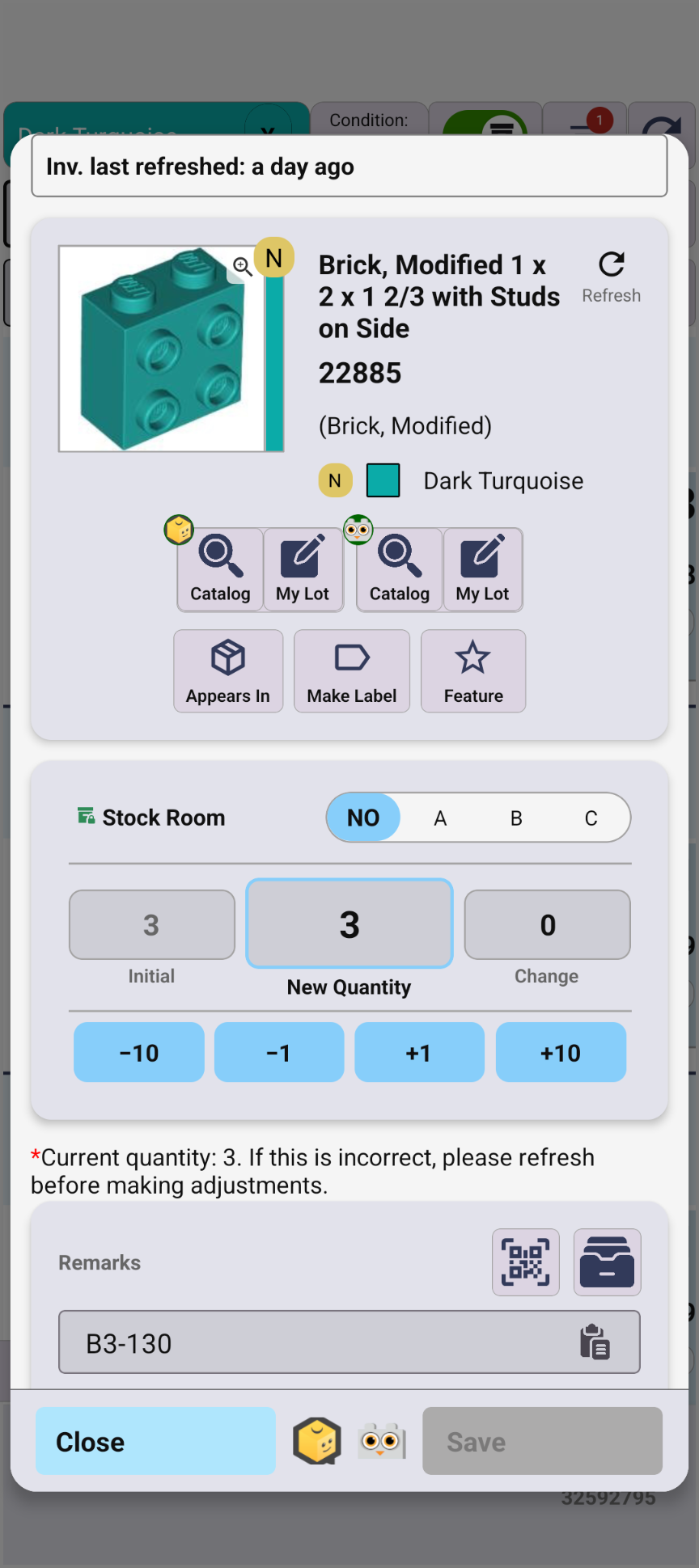
- Edit qty & remarks & price
- Quickly update remarks from suggestions
- Review inventory history
- View Subsets and Subparts
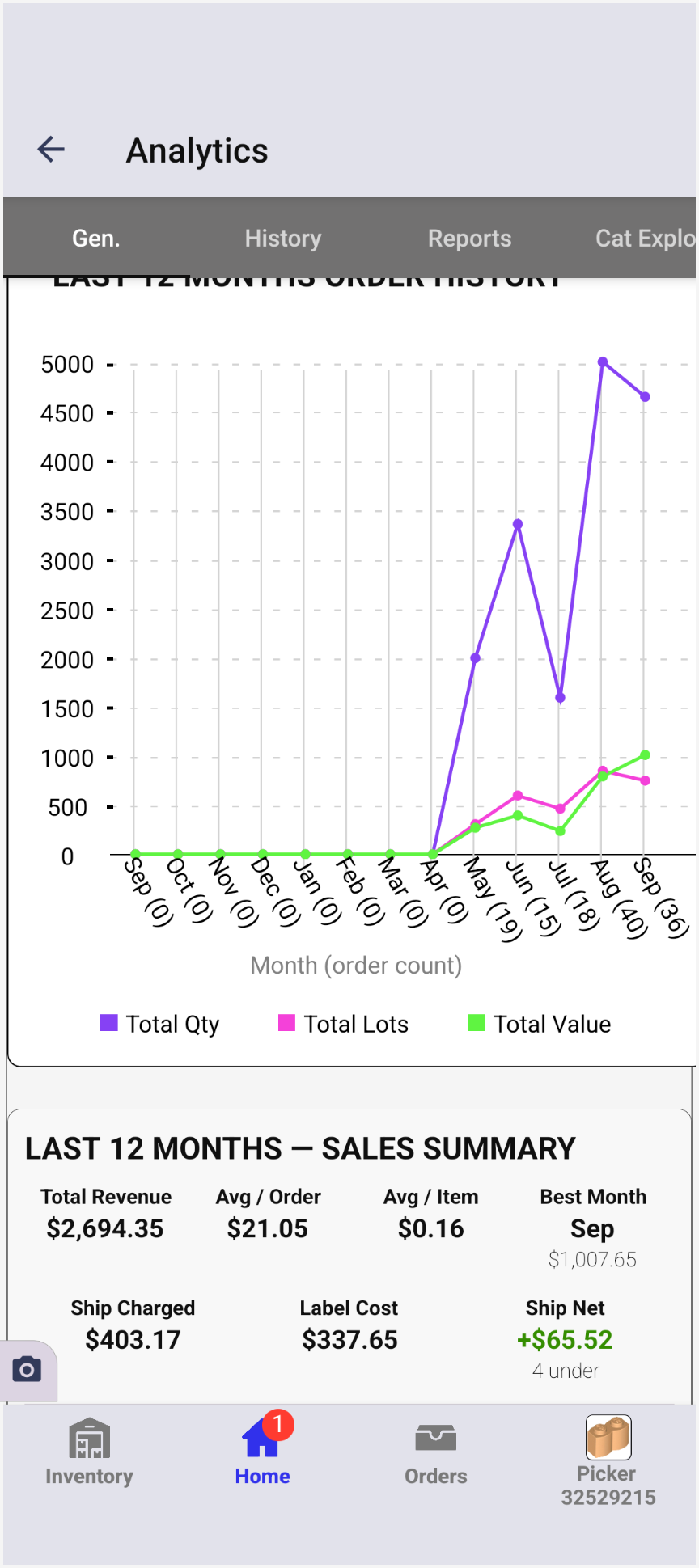
- 12-month history
- Revenue & shipping net
- Create reports
Remark suggestions
Suggests remarks from matching parts, categories, and colors — tap one to assign it.
How it works →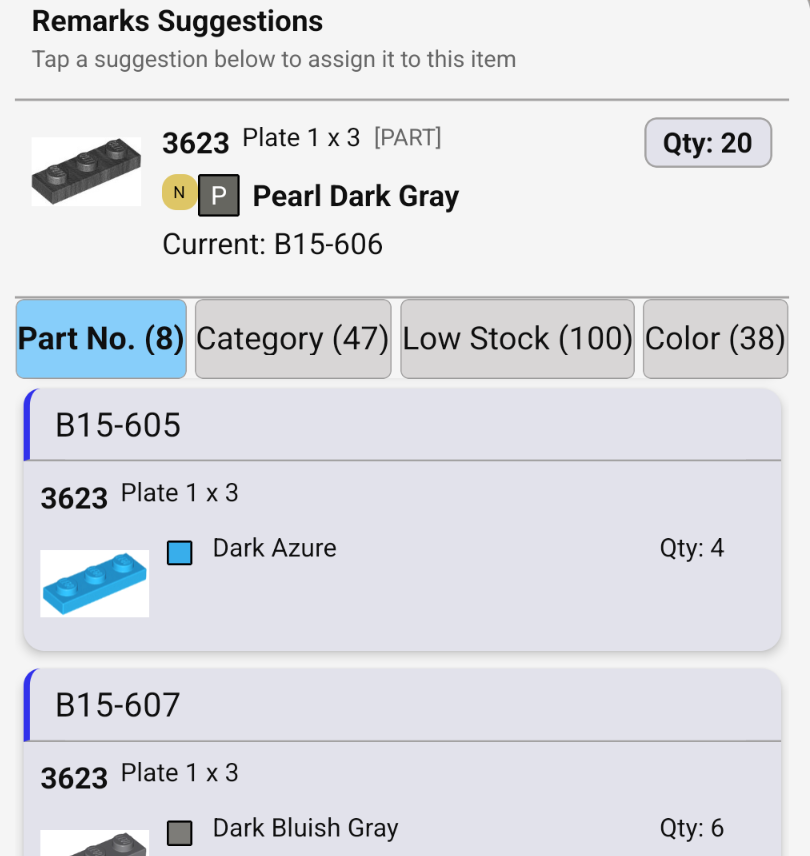
Minifig parts at a glance
Open any minifigure to quickly review every part, color, and quantity inside it.
How it works →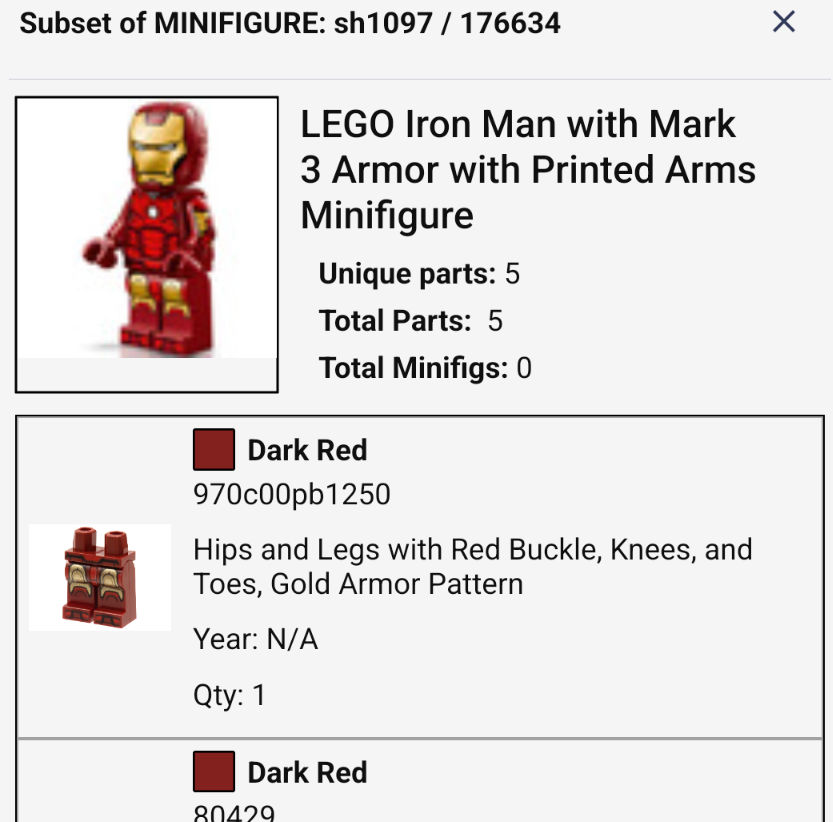
Catch look-alike parts
See a part's variants with their colors, quantities, and locations — and get flagged while picking when a look-alike shares the same remarks.
How it works →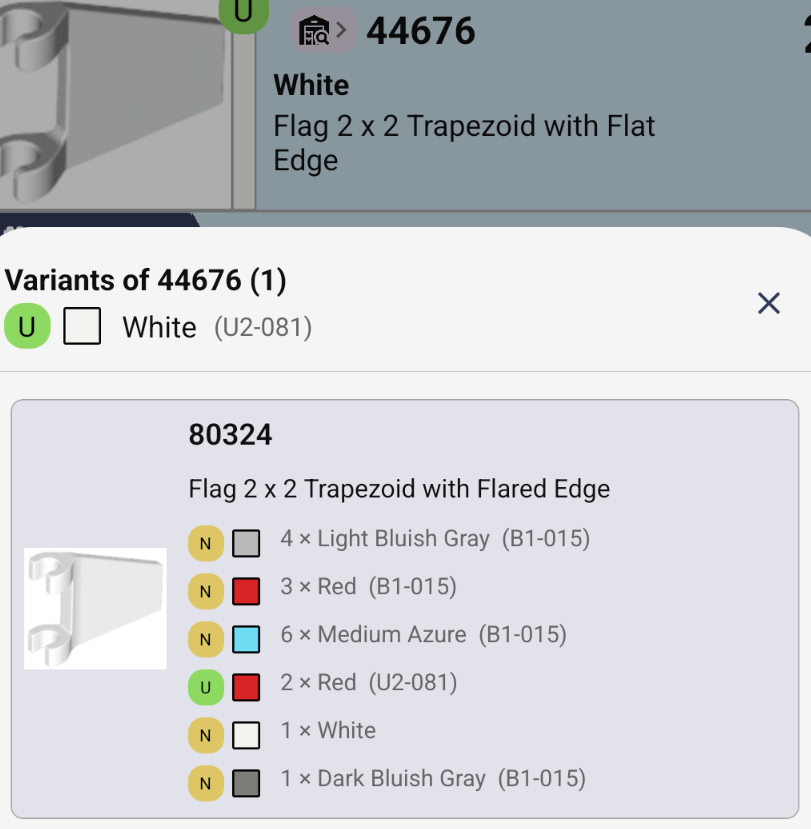
Undo any pick
Picking history lists every pick on an order — tap Undo to reverse one. The picklist also has Undo and Redo buttons.
How it works →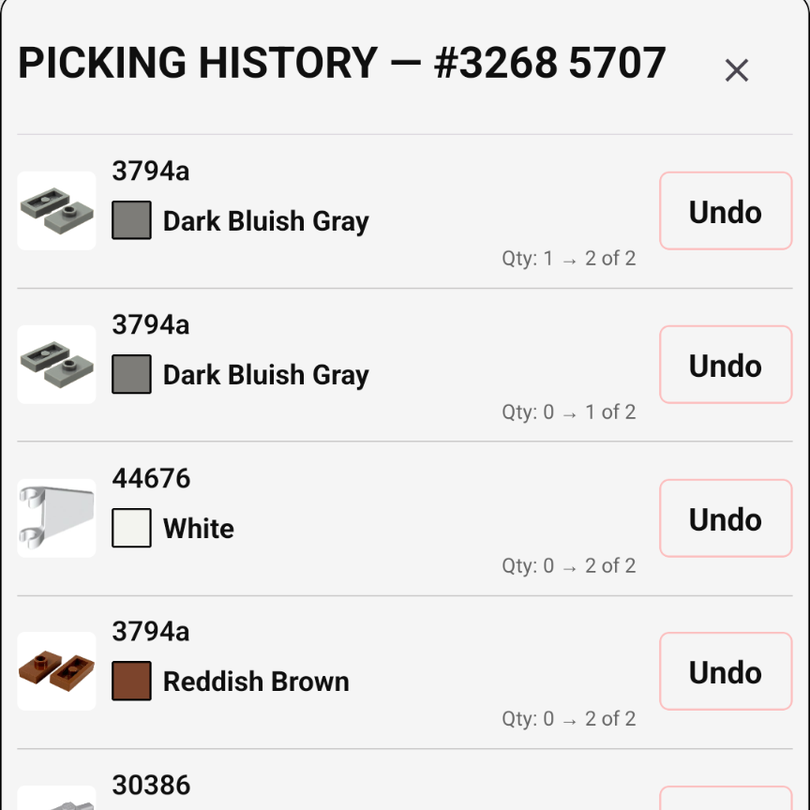
Remarks Map
See empty drawers at a glance and bulk-move items from one location to another.
How it works →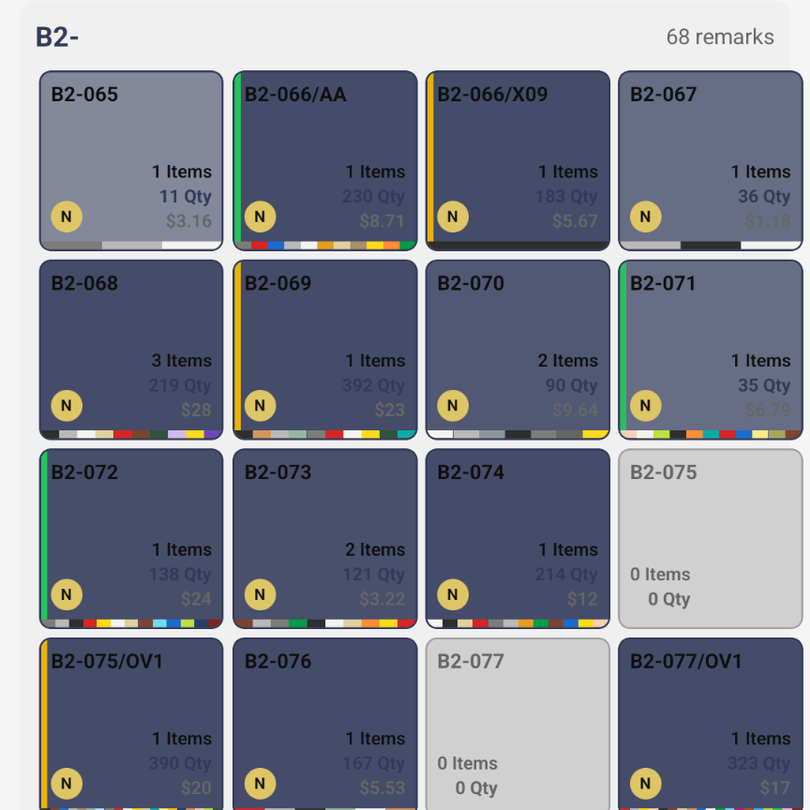
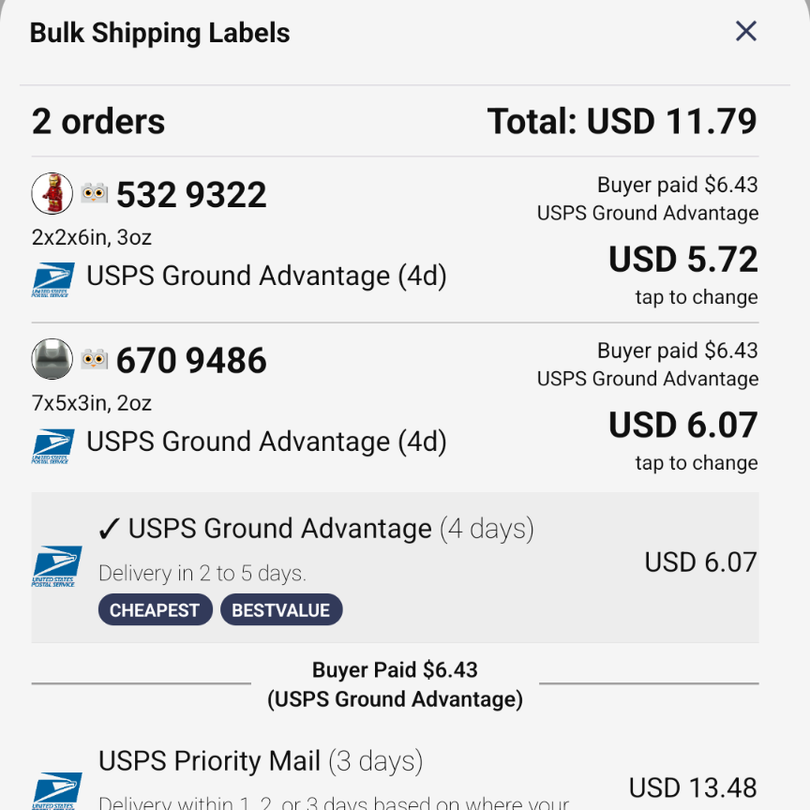
Buy shipping labels
Buy labels through Shippo for one order or several at once, compare rates against what the buyer paid, and mark orders shipped after purchase.
How it works →View tracking of purchases labels.
Quickly see item and inventory details
Every picklist row shows the part number and alternates, the color, how many you have in stock, and one-tap BrickLink and Brick Owl lookup and edit buttons.
How it works →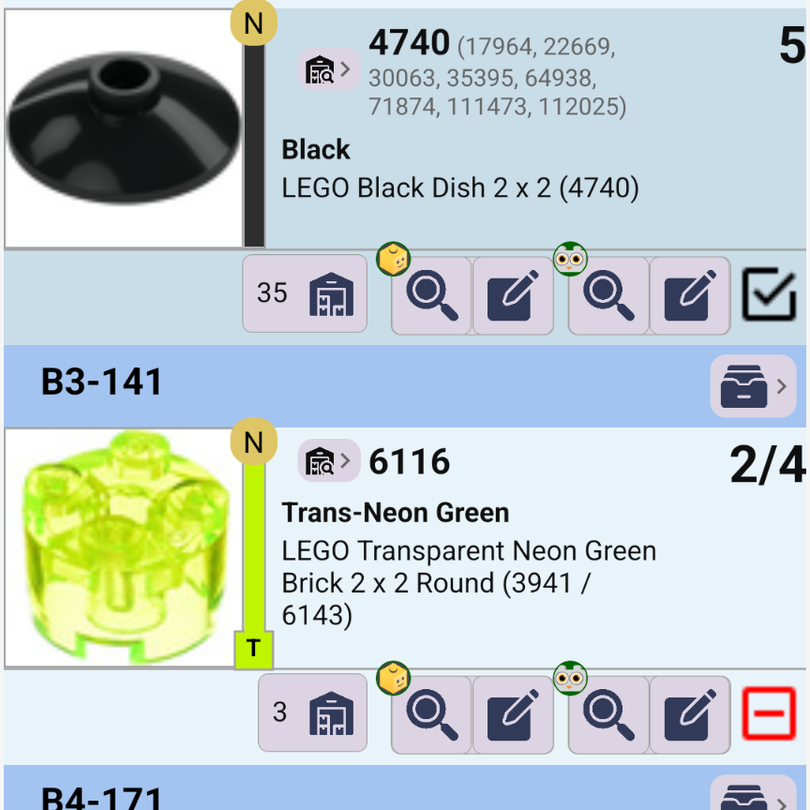
Pick partial quantities
Short on a part? Enter how many you picked, and the picklist shows progress like 2/4 so you know what's still needed.
How it works →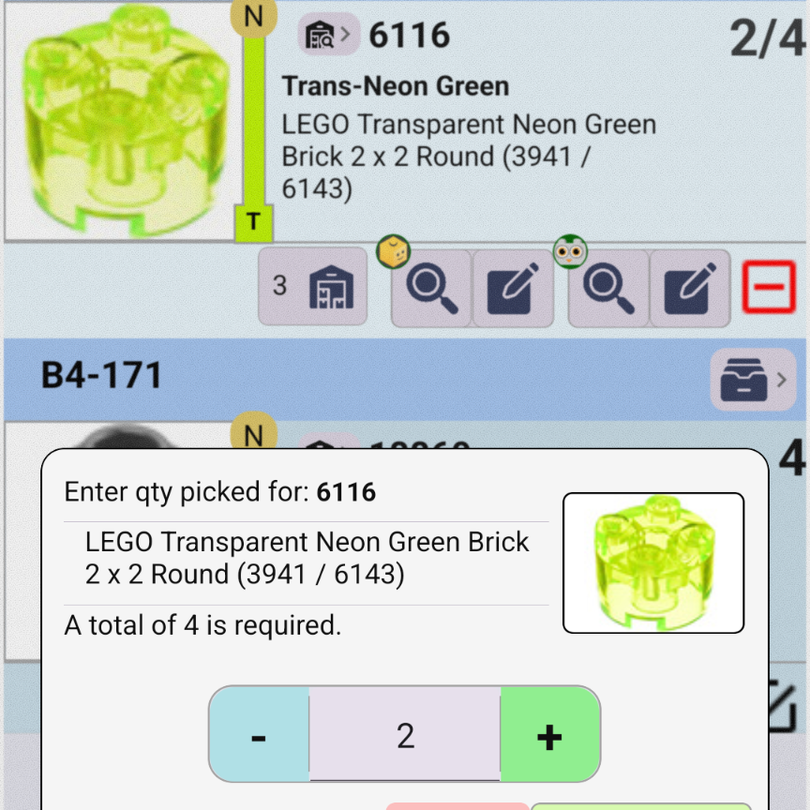
Inventory history
See every change to a lot — quantity, remarks, price, cost, and sale — from this device or from the cloud.
How it works →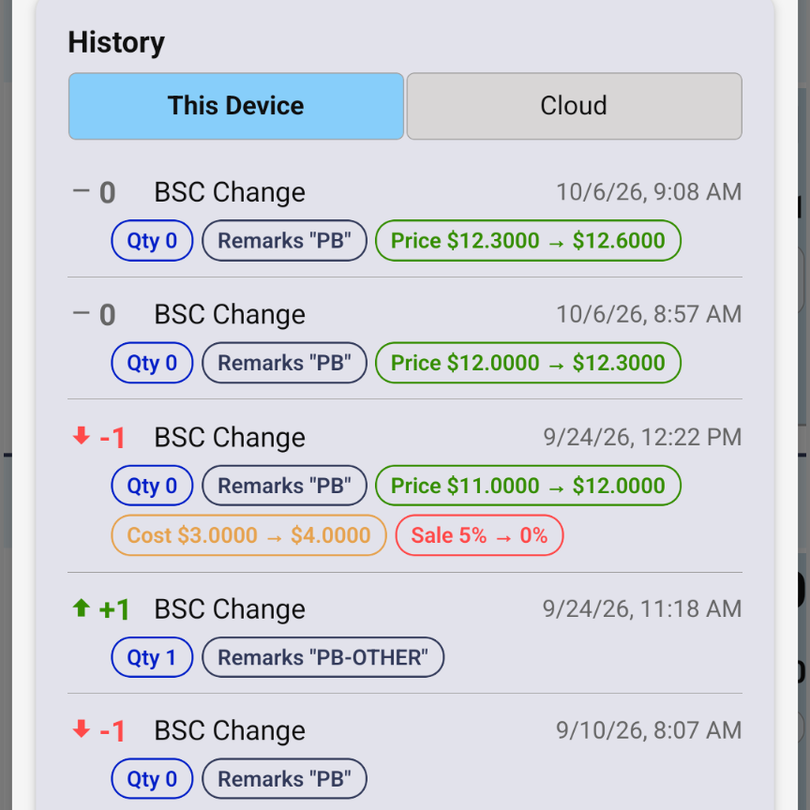
Mass feedback and filing
Leave positive feedback and file every order shipped more than a set number of days ago, all in one step. Filing is BrickLink only.
How it works →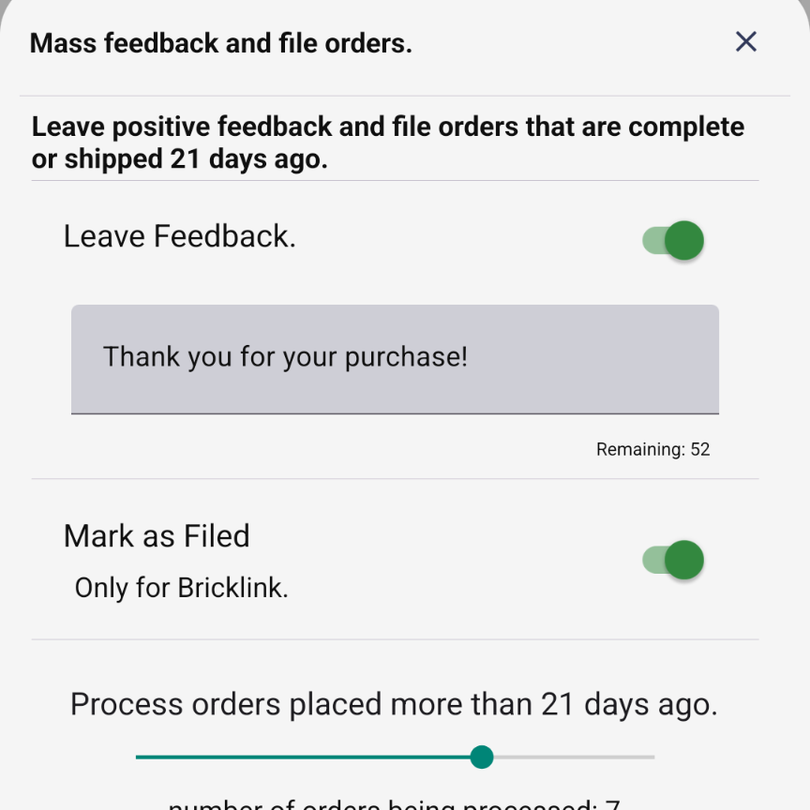
Print condensed orders
Prefer paper? Print a compact, two-column pick sheet with part images, ordered by remarks so you walk your bins once. Orders fit on fewer pages.
How it works →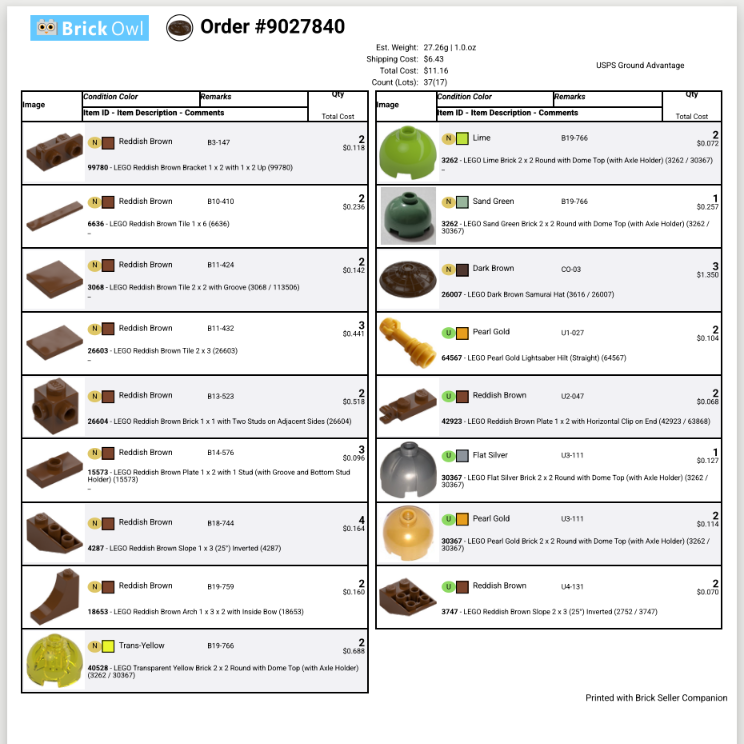
Price with the price guide
Pick Min, Average, quantity-weighted average, or Max in one tap, or drag to any price in between while a chart shows how everyone else prices that part.
How it works →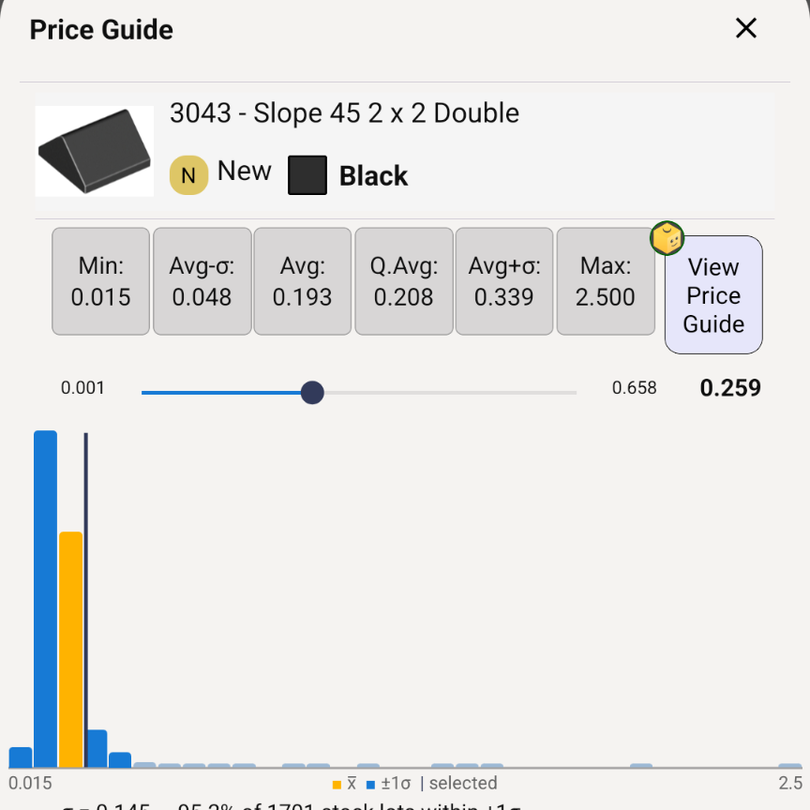
More tips → · Frequently Asked Questions →
BrickLink & Brick Owl Order Picking
Everything you need to get an order from "New" to "Shipped" — with your phone in your hand instead of a printed pick list. See how picking works →
Pick BrickLink & Brick Owl orders
Pick orders from either marketplace in one app, with progress synced across all your devices.
Pick by location
Parts are listed by their remarks/storage location, so you walk your bins once instead of searching for every part.
Pick several orders at once
Select multiple orders and pick them together, with partial picking and undo/redo for every pick.
Status tracking
New, Packed, and Shipped order cards, plus automatic problem-order detection so nothing slips through.
Pick as a team
Multiple devices, one order — every pick syncs instantly, and everyone sees live progress.
Scan to ship
Scan a barcode to mark an order shipped automatically.
Shipping
Shippo integration
Purchase shipping labels and track deliveries without leaving the app.
Accounting export
Export orders to CSV for accounting software like Quicken or eBoekhouden.
Store & Inventory Management
Part out a set
See a set's live price-guide value before you part it out.
Part, Minifig, and Set search & catalog
Quickly find and add any lego part, minifig, or set to your inventory from the local catalog.
Inventory by remarks
Check inventory by remarks/location, with a visual remarks map for moving stock between locations.
Check inventory with the camera
Point your camera at a part or minifig and Brickognize finds it in your store — see quantity, price, and location in seconds.
Add inventory with the camera
Snap a photo to identify an item with Brickognize and start a new inventory lot without typing a part number.
Identification
Brickognize
Point your camera at a part, set, or minifig to identify it instantly. Quickly add to inventory.
Color guide
Browse the full LEGO color guide, with camera-based color prediction.
Series Box Scanner
Identify a Collectible Minifigure box's contents from its code — without opening it.
Analytics
Sales analytics
Sales history and most-sold-parts insights to see what's working.
Premium Subscription
Optional — keeps BrickLink and Brick Owl in sync automatically. Changes and updates made to BrickLink are mirrored to Brick Owl.
Flat $8.99/month — not a cut of your sales
One flat monthly price for inventory sync. No percentage-of-sales fee like other cross-listing tools charge.
Cross-platform inventory sync
Sales come off the other store about every 10 minutes, and a weekly Deep Sync keeps BrickLink and Brick Owl inventory matched. Run it manually anytime.
Live sync visibility
See current cloud status and last sync time.
Checkable sync logs
Review sync history and run syncs manually from the Cloud Dashboard menu, so you can see exactly what happened and when.
Exclude items from sync
Add a "~" to an item's remarks or public note to skip it during Deep Sync.